¶ 1. Introduction
If you need to modify the boot order on an RK3588-based device running BredOS, follow these steps:
¶ 2. Accessing the UEFI
¶ 2.1 Accessing the Boot Menu
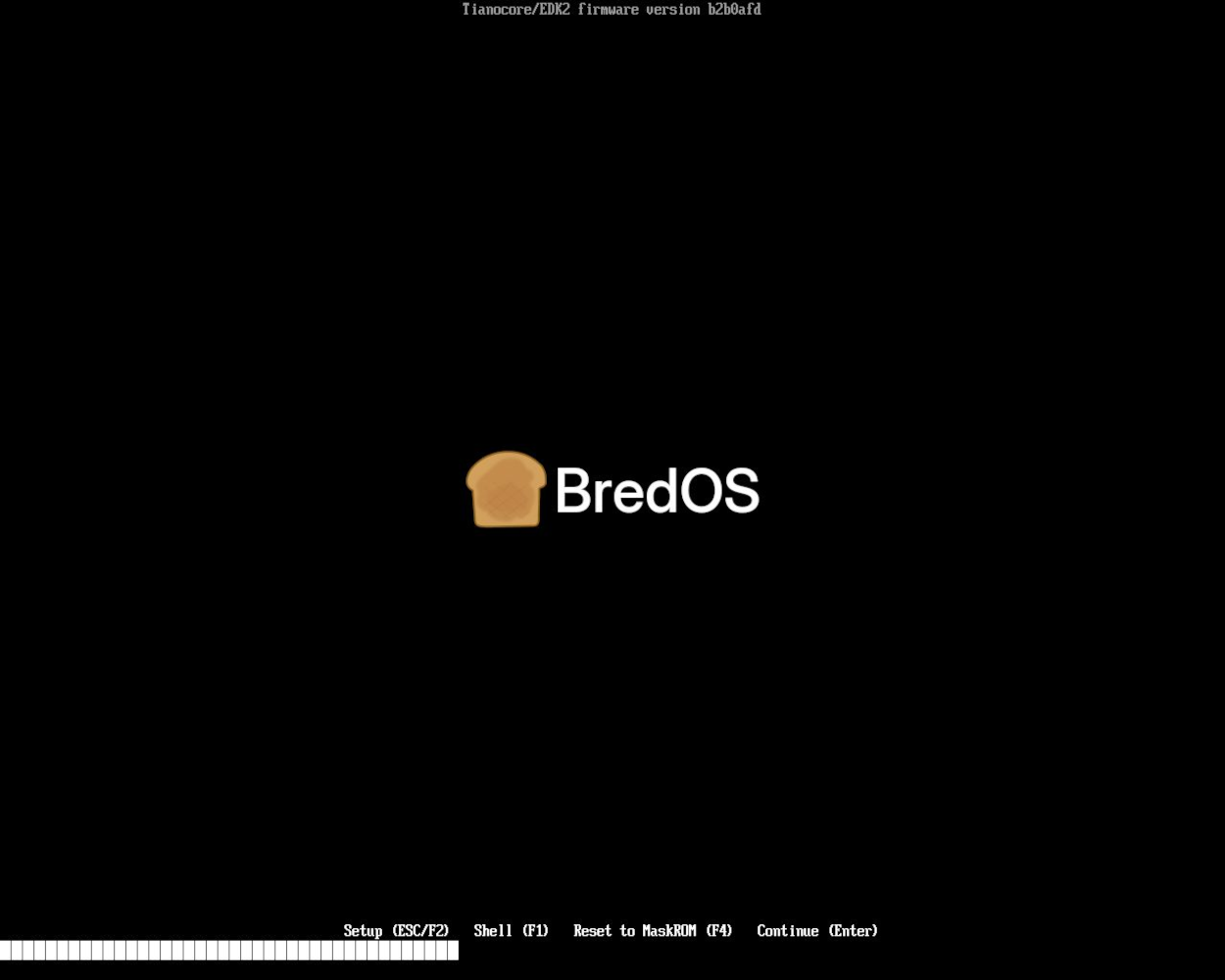
- Turn on your device and wait for the BredOS logo to appear during boot.
- Press the
ESCkey once while the logo is displayed to enter the UEFI menu.
Screenshot
¶ 2.2 Navigating to the Boot Order Settings
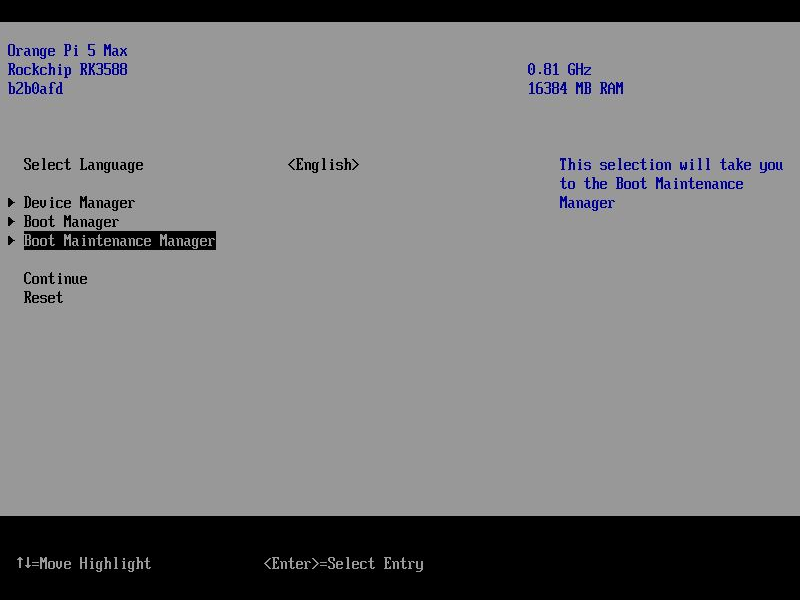
- Use the arrow keys (
↓and↑) to selectBoot Maintenance Managerand pressEnter.
Screenshot
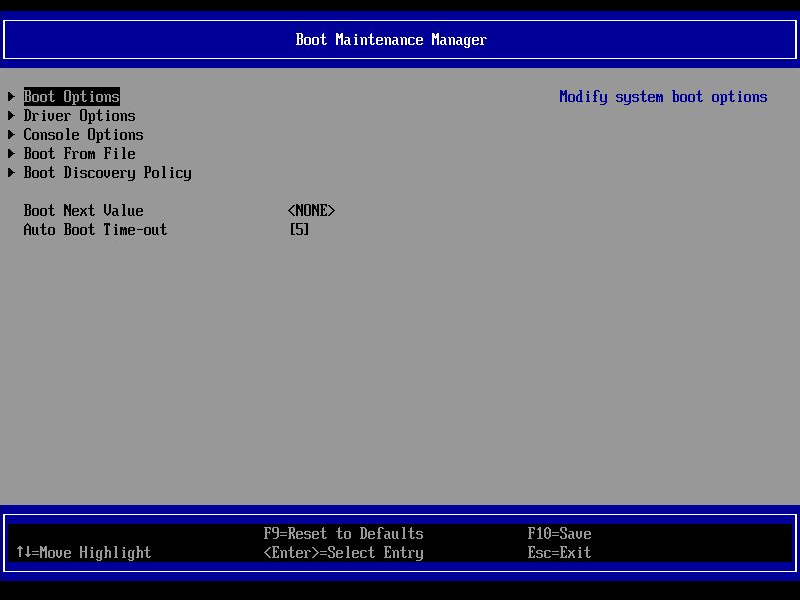
- On the next screen, select
Boot Optionsand pressEnter.
Screenshot
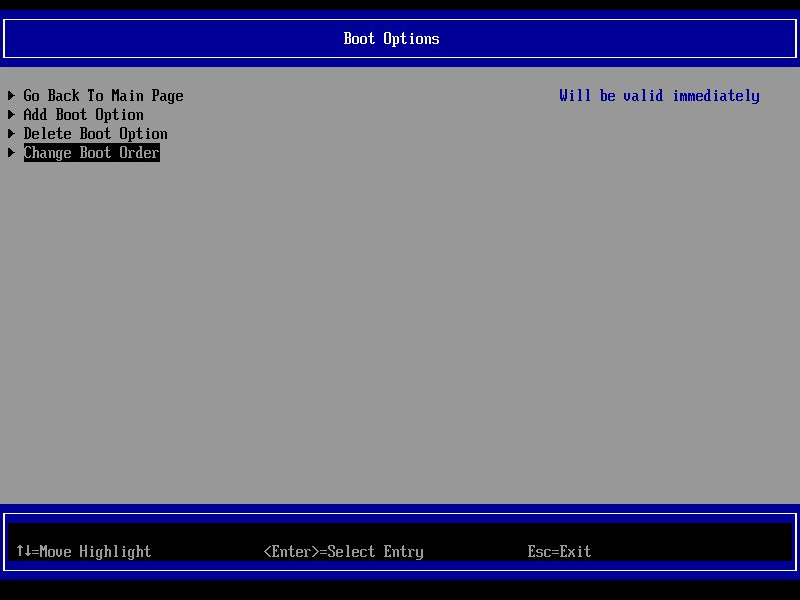
- Choose
Change Boot Orderand pressEnter.
Screenshot
¶ 2.3 Modifying the Boot Order
- Once inside the boot order menu, press
Enter.
Screenshot
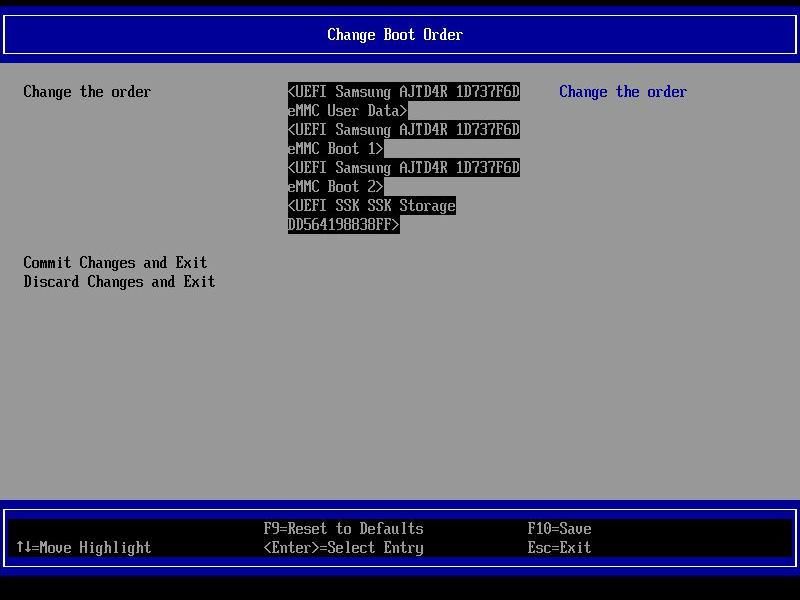
Screenshot
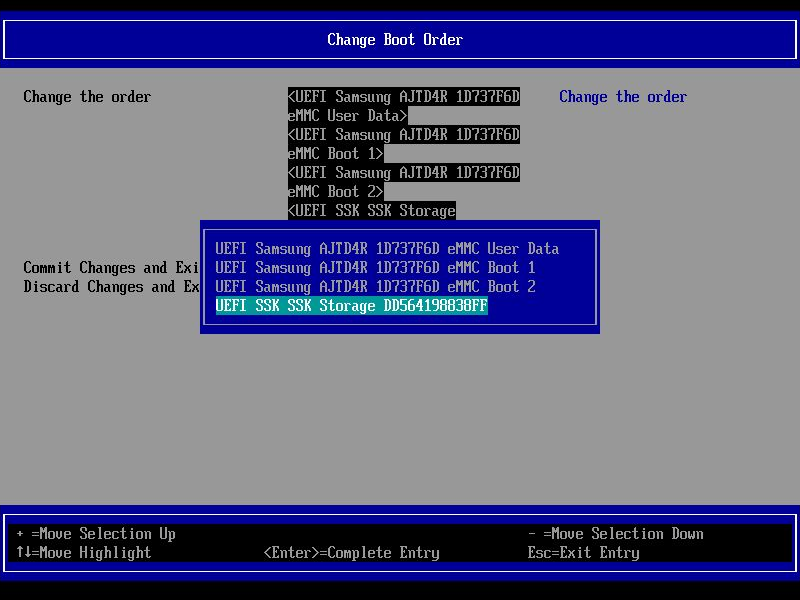
- Use the down arrow (
↓) to scroll to the bottom of the list. - Select the entry you want to move to the top and press the
+key until it reaches the top.
Screenshot
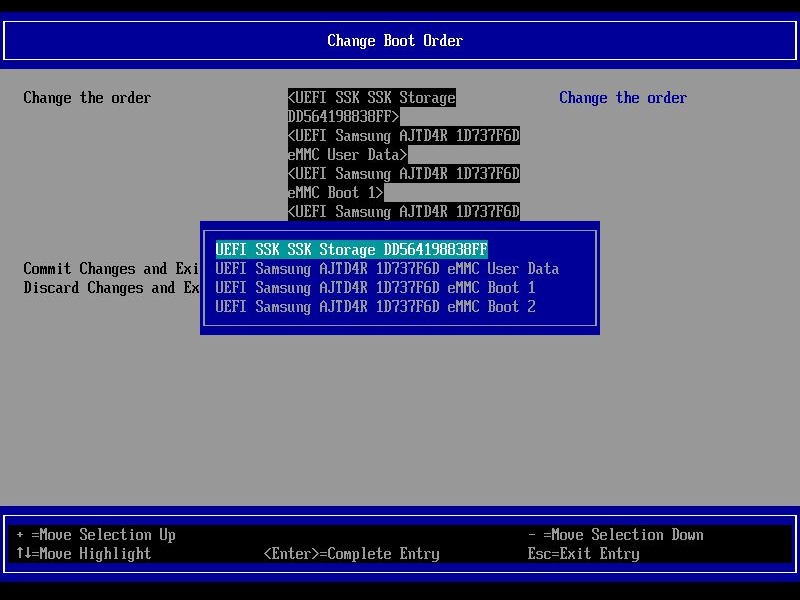
- Once the desired boot order is set, press
Enterto confirm.
¶ 2.4 Saving and Applying the Changes
- After setting the boot order, press
Yto save the changes.
Screenshot
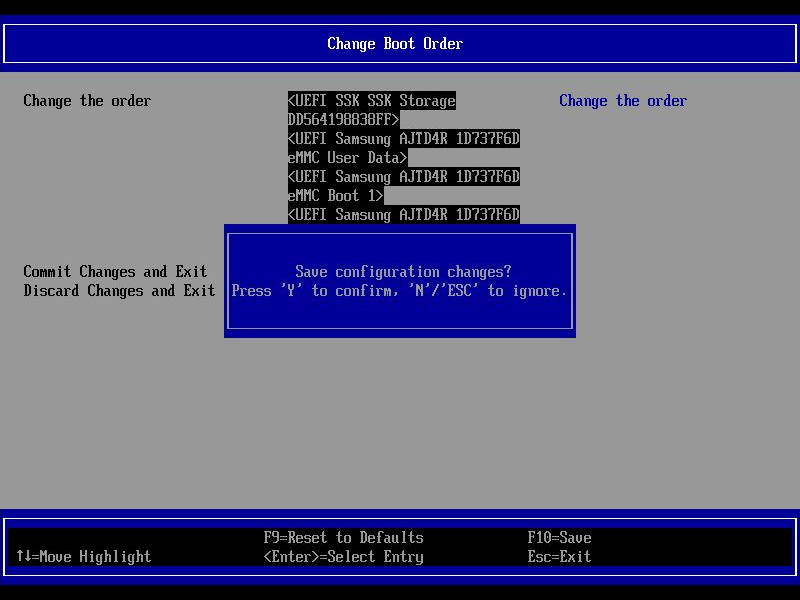
- Exit the menu and restart the device to apply the new boot order.
Done! Your device will now boot using the new order.